 mylinq
How to create one QR code for all your social links
The quick version: put your links on a free link-in-bio page, then download that page's QR code. One scan opens a page with every profile, and you can change the links later without reprinting anything.
Why one code beats one per platform
A QR code can open only one address. Printing separate codes for Instagram, YouTube and WhatsApp clutters your card or poster, and people won't scan three. Point a single code at a page that lists them all instead. Because the code holds your page address and not the links themselves, you can swap a link next month and the printed code still works.
Step by step
- Make your page. Sign up free and choose a username; your page lives at mylinq.cc/yourname. Settle on the username first: changing it later changes the address, and old QR codes stop working.
- Add your social links. Paste each profile link; mylinq adds the icons. See the full setup guide.
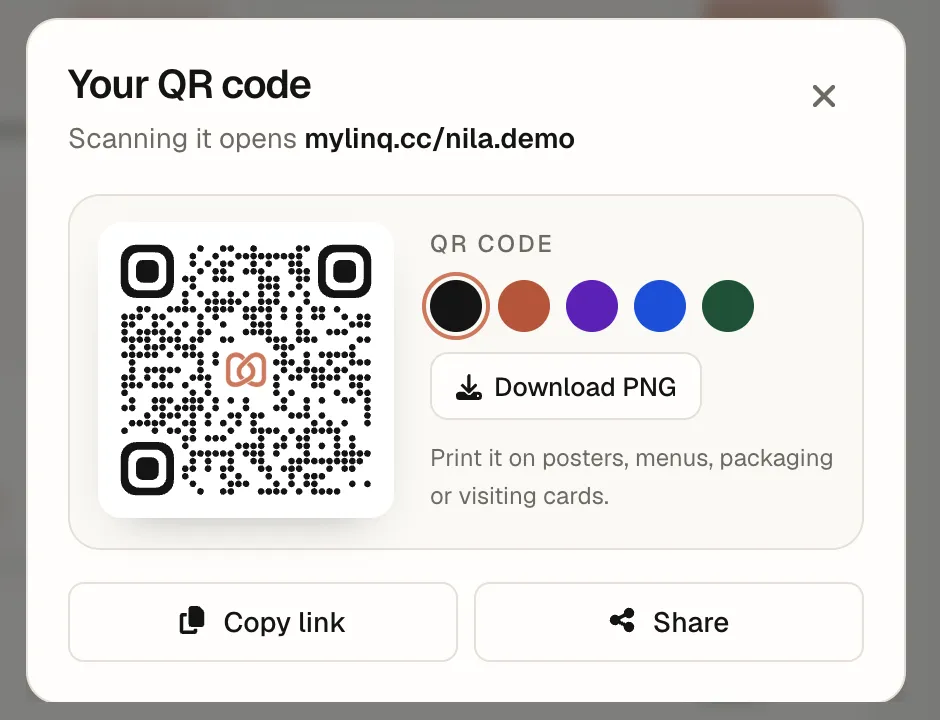
- Open your QR code. In the dashboard, tap the QR button at the top, next to your page address.
- Pick a colour. Choose black or one of the brand colours. The mylinq mark sits in the middle; the code uses high error correction so it still scans.
- Download PNG and add it to your design.
- Test it. Scan the printed proof with two different phones before printing in bulk.
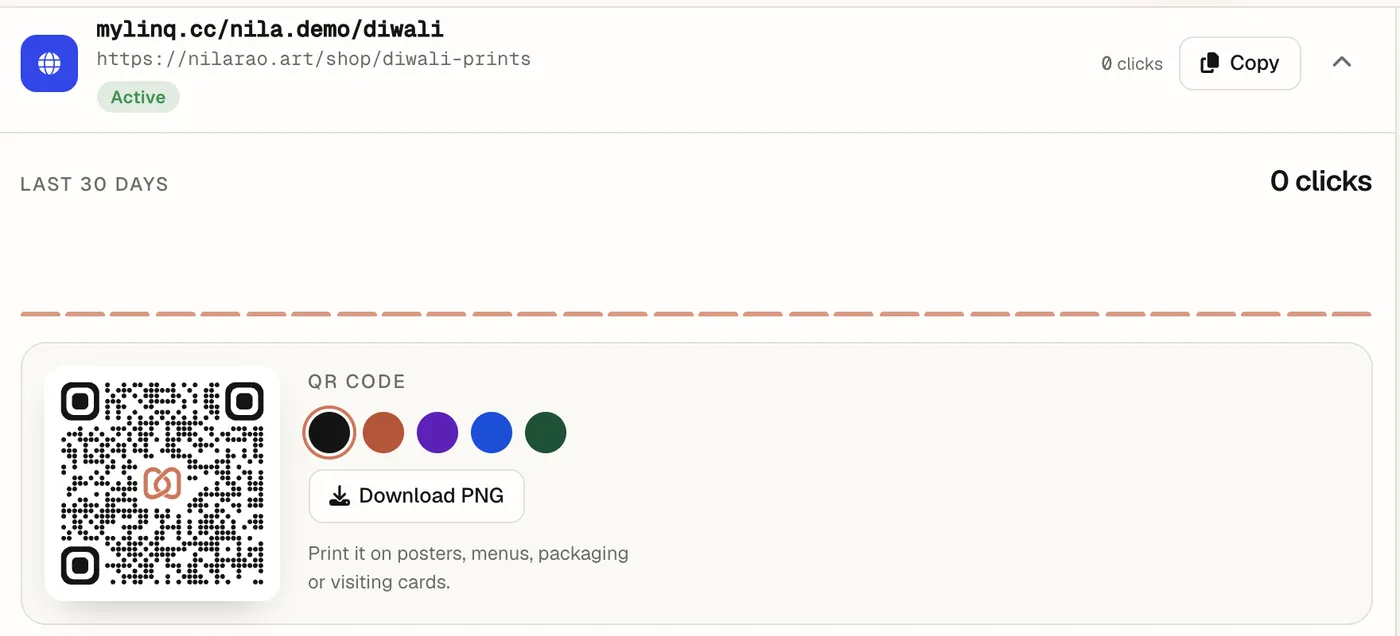
A QR code for one offer or product
Sometimes you want a code that goes straight to one thing: a menu, a sale, a product. Make a short link such as mylinq.cc/yourname/diwali and open it: each short link has its own QR code, its own click count, and optional expiry date or click limit.
Printing tips
- Size: at least 2 cm wide on cards and packaging; bigger for anything scanned from a distance.
- Contrast: dark code on a light background. Avoid light-on-dark or busy photos behind it.
- Breathing room: keep a clear margin around the code; don't crop or stretch it.
- Say what it does: a line like “Scan for my Instagram, YouTube and shop” gets more scans than a bare code.
- Measure it: scans show up as page views in your analytics.
Questions
Can one QR code open all my social media?
Yes. The QR code opens your link-in-bio page, and the page lists all your profiles. People scan once and pick Instagram, YouTube, WhatsApp or anything else you've added.
Is the QR code free?
Yes. Every mylinq page and every short link gets a QR code on the Free plan, with a choice of colours, as a PNG download.
Will my QR code stop working if I change my links?
No. The code points to your page address, not to the links on it, so you can add, remove and reorder links any time. It only breaks if you change your username, because the address changes too.
What size should I print it?
At least 2 cm wide for something held in the hand, like a visiting card or packaging. For posters, a common rule is about 1 cm of code for every 10 cm of scanning distance. Always test-scan the printed proof.
Do QR codes expire?
The code itself never expires. It keeps working as long as the page or short link it points to exists. Short links can be given an expiry date or click limit on purpose.
Keep exploring
Make your page in a minute
Free forever. No credit card. Upgrade only if you need more.
Claim your mylinq page