 mylinq
Page views
How many times your page was opened. Your own visits while logged in aren't counted, and known bots and link-preview crawlers are left out.
The quick version: use a link-in-bio page that counts views and clicks for you. On mylinq, open Analytics in your dashboard to see page views, link clicks and click rate. No setup and no tracking code needed.
How many times your page was opened. Your own visits while logged in aren't counted, and known bots and link-preview crawlers are left out.
Taps on any link or icon on your page.
Clicks divided by views. It tells you whether people who arrive find something worth tapping.
Which link gets the most taps and its share of views (Pro). The one to move to the top.
Whether views and clicks went up or down against the same number of days before (Pro).
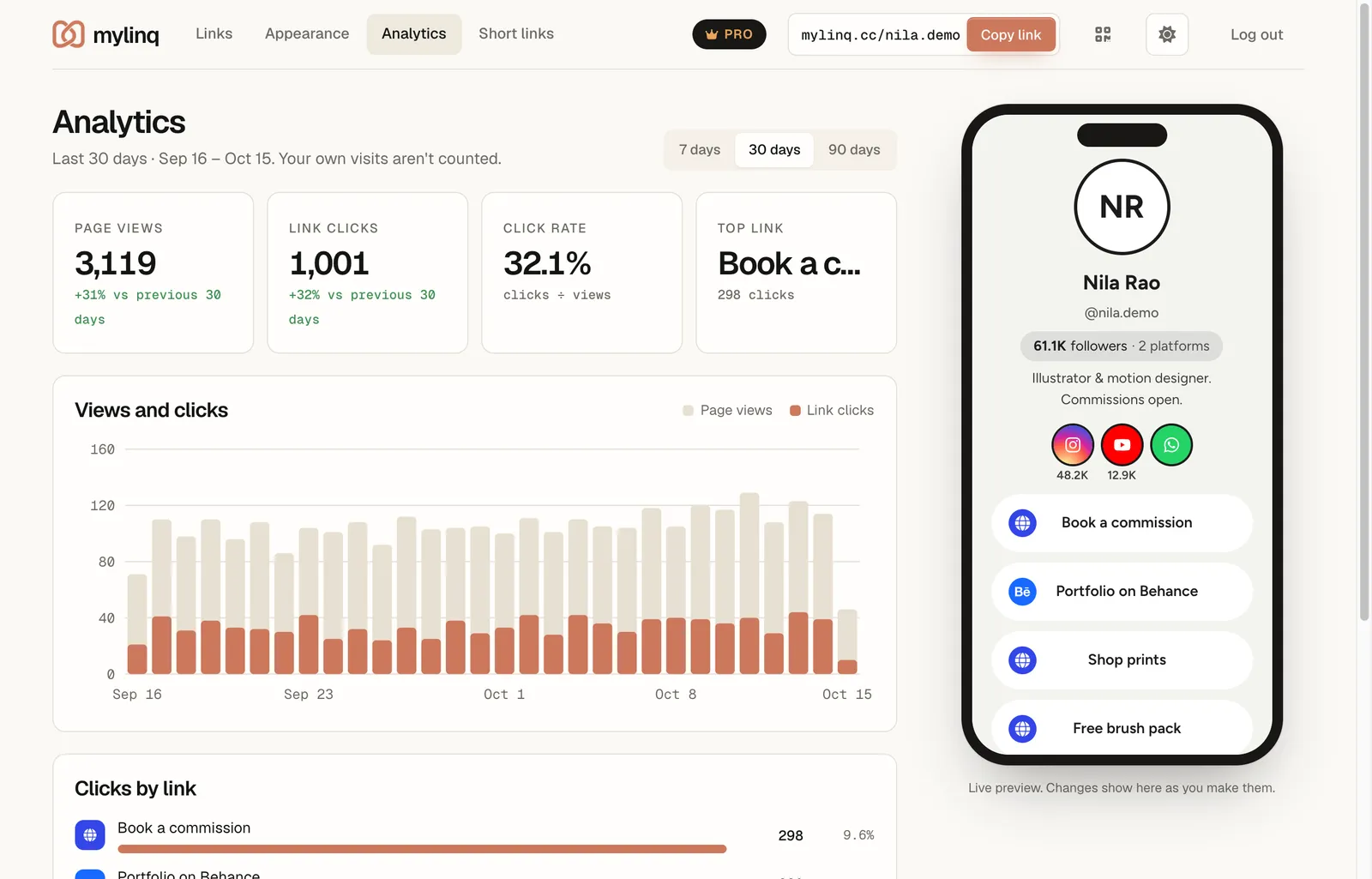
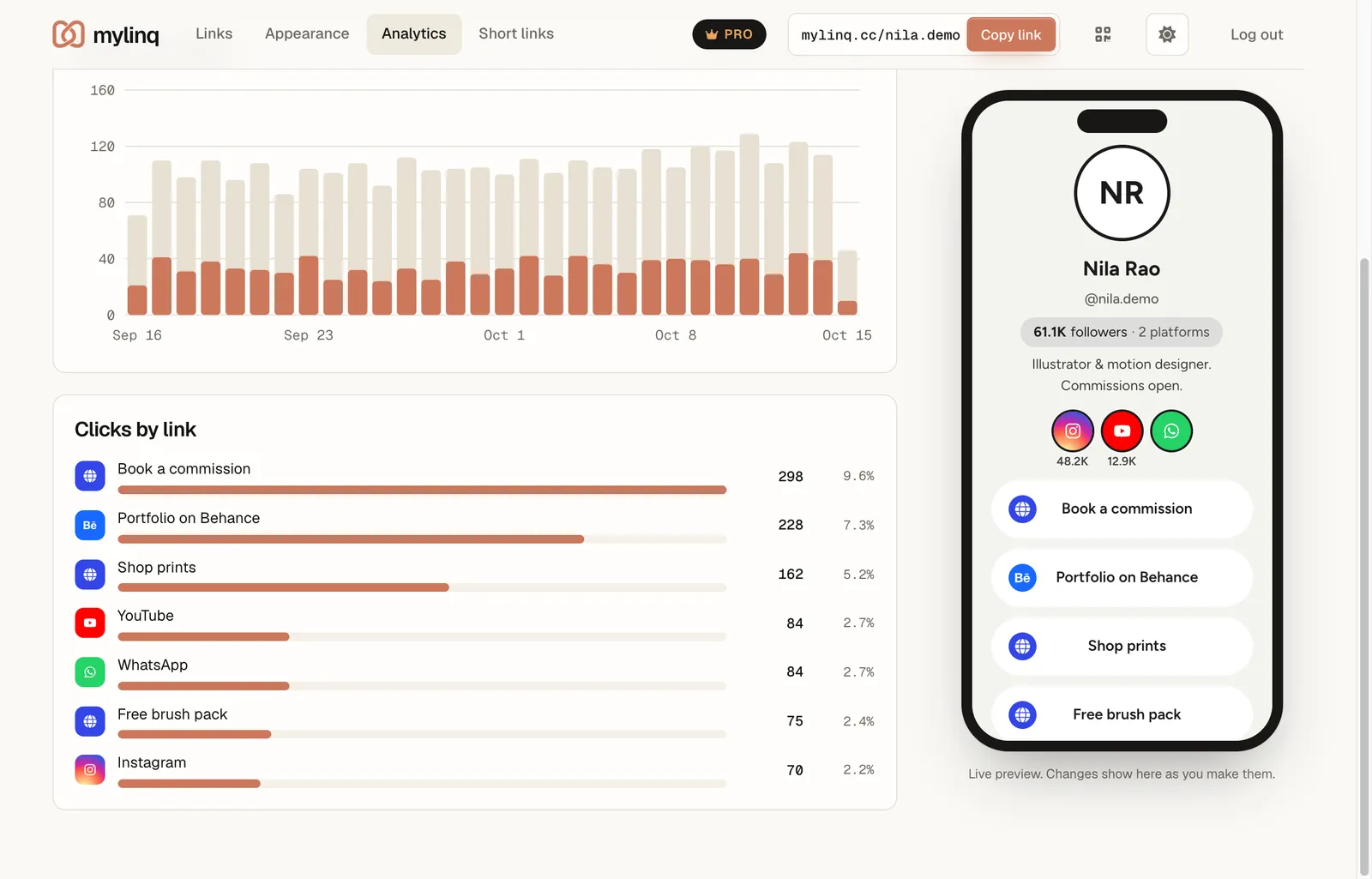
Clicks by link ranks every link by taps. In this example, “Book a commission” gets almost twice the clicks of anything else, so it belongs at the top of the page, and the social icons get far fewer taps than the buttons.
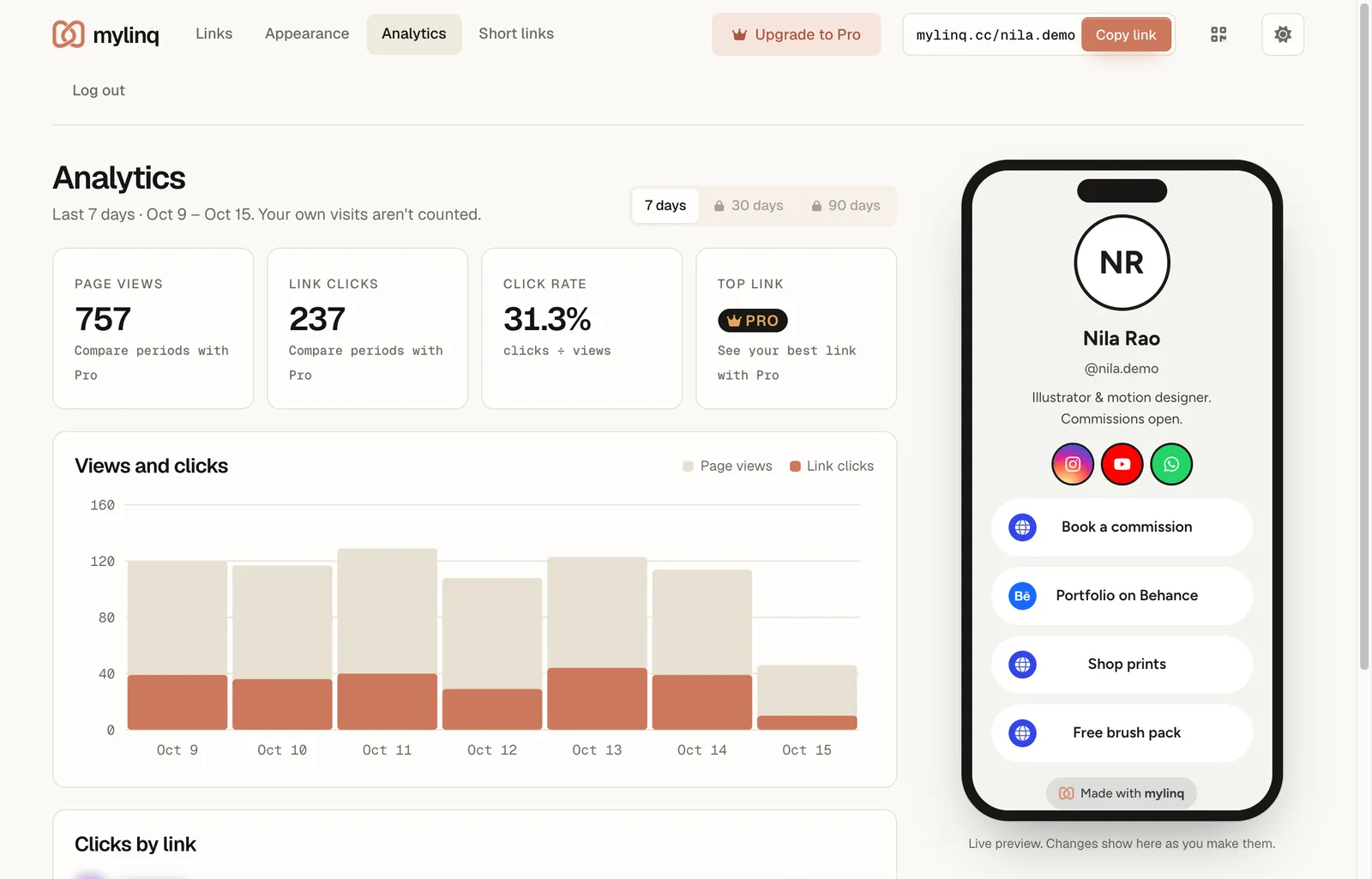
Free accounts see the last 7 days of page views, link clicks and click rate, with a daily chart. That's enough to tell whether a post sent people to your page. Longer history and per-link clicks come with Pro.
To know which post or platform sent each click, use a separate short link per campaign, for example one in your Instagram Story and another on WhatsApp. Each short link shows its own clicks per day, top sources and countries.
For links to your own website, add UTM tags so Google Analytics or your shop's reports credit your bio, for example ?utm_source=instagram&utm_medium=bio on the end of the address.
Need a page first? Follow how to create a link in bio for Instagram. Compare plans on the pricing page.
No. mylinq counts views and clicks but doesn't identify the people who visit. Visitors stay anonymous.
That's normal: many visitors look and leave. To raise your click rate, put your most wanted link first, give it a clear name, and remove links nobody uses.
Yes. Free shows page views, link clicks and click rate for the last 7 days. Pro (₹149/month) adds 30 and 90-day history, clicks for every link, the top link and comparison with the previous period.
For short links, yes: each one shows clicks per day, top sources (Instagram, WhatsApp, direct) and top countries. For your page, add UTM tags to the links that go to your own website, and your website's analytics will show the visits came from your bio.
Free forever. No credit card. Upgrade only if you need more.
Claim your mylinq page